

Design Boards are for storing supportive collateral and inspiration in your projects. It’s a place to group awesome lighting videos, important literature and beautiful application photos that capture the essence of your project ideas.
You can save any asset in two ways:
1. You can also add supportive collateral directly from your project. Navigate over to the Design Board tab of your schedule, where you can then click on the Add button.

A new window will appear, allowing you to browse through the selected category, such as application photos, videos or brochures. Use the search bar to find specific collateral or choose the filter dropdown menu to browse items uploaded by specific manufacturers or your agency. Check the checkbox at the bottom right of the material and don’t forget to hit the save button!

2. While viewing collateral provided by a manufacturer, click on the folder icon in the lower right, choosing a project to add it to, and then clicking save!
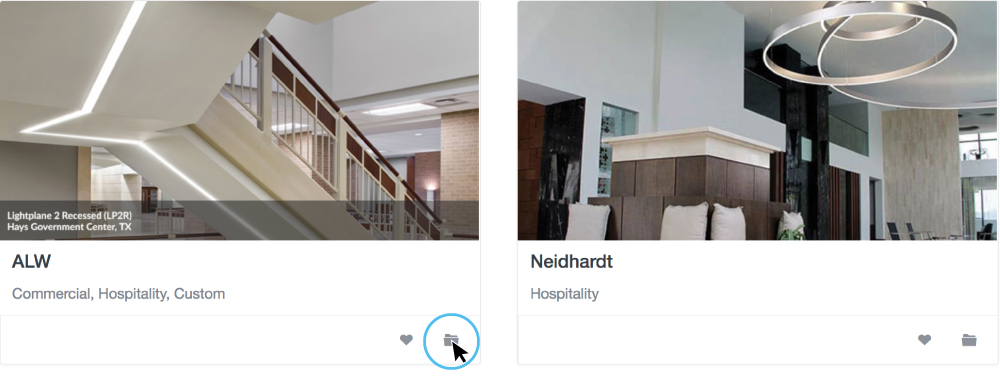
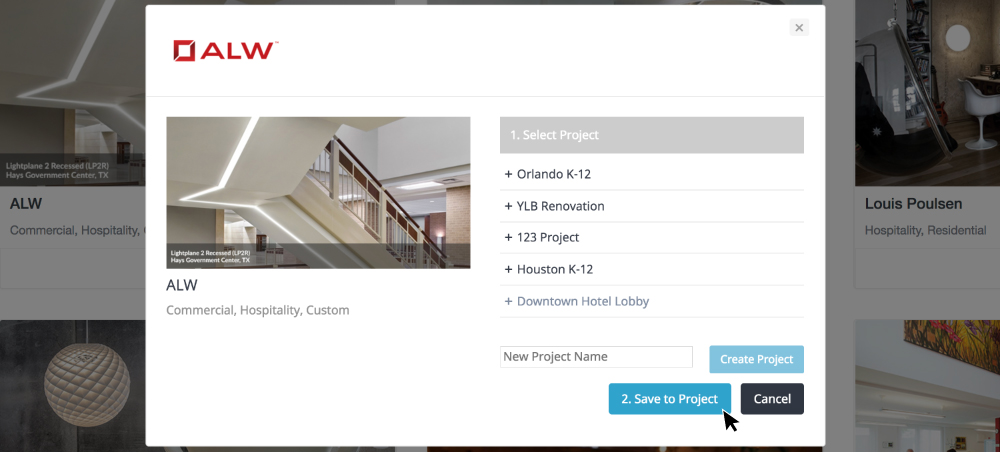
You can then continue browsing and adding to your Design Board, or you can jump into your project to see all of the assets neatly grouped together.
Important Note: Design Boards are collaborative and meant to help communicate an overall design direction for the team. If at any time you do not like a product video or brochure…just simply trash it utilizing the trash icon on the content and be on your way!